Example use
You have a stack of double-sided paperwork, but your scanner only supports one-sided scans. Scan the fronts, flip the stack, scan the backs, then merge both PDFs here.
Use this when your scanner cannot scan both sides automatically. Scan the front sides into one PDF, scan the back sides into a second PDF, then merge them into one correctly ordered document.
Upload a front-side PDF and a back-side PDF, then combine them into one finished file.
Before & after
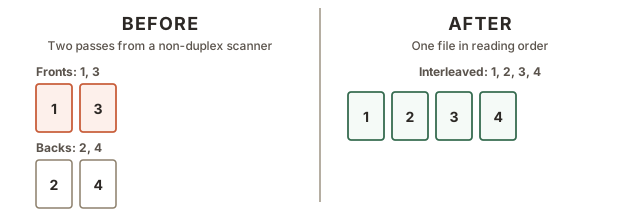
This should be the PDF from the first pass, such as pages 1, 3, 5, and 7 scanned front-side only.
This should be the PDF from the second pass, such as pages 2, 4, 6, and 8 scanned after flipping the stack.